
Locor / UV
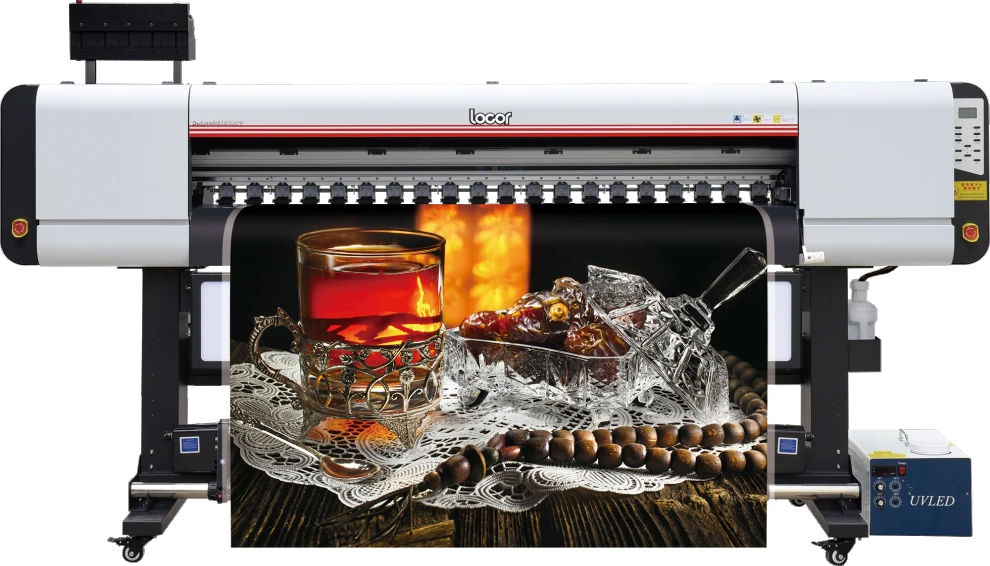
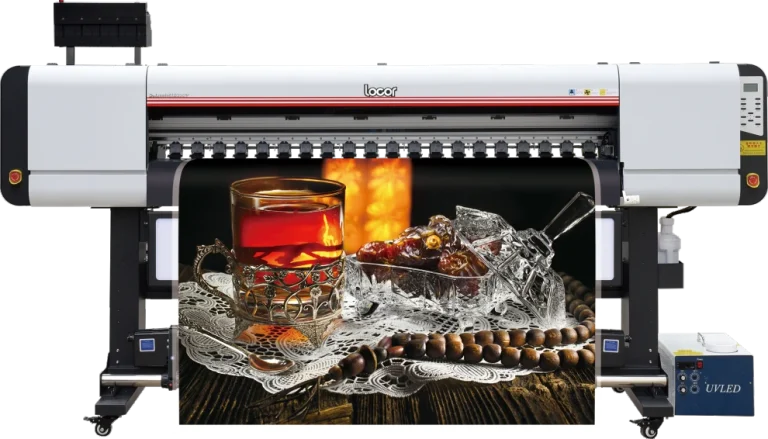
Locor Deluxejet1840UV UV roll-to-roll printer
Explore Locor Deluxejet1840UV: brochure-backed uv roll-to-roll printer specifications, images and configuration guidance. Request a confirmed quotation.
- Printhead Type: Epson I3200-U1
- Number of Printhead: 3/4
- Ink Type: UV Inks
Printing machine buying guide · Compare UV equipment · Consumable and spare-part compatibility guidance
Request Current Price
Current price, GST, freight and configuration are confirmed in writing.
Get a Detailed Quotation
Specifications, GST, freight, installation and warranty terms will be confirmed in writing.
Check Current Availability
Availability is verified before dispatch or import-on-order planning.
View Delivery Process
Dispatch follows payment, specification confirmation and logistics planning.
View Delivery ProcessInstallation Details
Free on-site installation for eligible machines above ₹1.5 lakh. Engineer travel and stay are customer-paid.
View Installation Details1-Year Dedicated Warranty for Eligible Machines
Printheads and ink-related damage are excluded.
View Warranty PolicyLocor Deluxejet1840UV UV roll-to-roll printer: before you decide
Start with the object you want to decorate. Its dimensions, shape and surface finish should be part of the demonstration brief, rather than relying on a printed sample made on a different material.
Bring a job you actually plan to produce
Choose artwork and material that reflect your typical order. Ask which configuration produced the sample, how the operator handled the work and what checks were used to approve the result.
Keep the package details together
Save the product brochure, agreed configuration and quotation. Confirm what is supplied, what you need separately and which delivery, training and service arrangements apply to your order.
Use the machine buying guide to organise your questions. For Locor Deluxejet1840UV UV roll-to-roll printer, contact the team with your sample brief and installation location.
Locor Deluxejet1840UV UV roll-to-roll printer: Overview and Applications
Locor Deluxejet1840UV UV roll-to-roll printer is one option to discuss for your uv setup. Start with the object you want to decorate. Its dimensions, shape and surface finish should be part of the demonstration brief, rather than relying on a printed sample made on a different material.
Use the specification table and matching brochure to check the configuration. If the listing covers alternative heads, widths or versions, mark the option you want on the quotation. Ask the team to clarify any ambiguous entry before treating it as a purchase specification.
For Locor Deluxejet1840UV UV roll-to-roll printer, bring one representative job to the discussion. Note the artwork dimensions, material and quantities, and agree what a successful sample should demonstrate. Record the consumables and settings used for that sample so you have a useful reference later.
Compare the complete written package, including accessories, software where applicable, delivery and agreed installation or training. Measure the access route and the space needed around the equipment. Refer to the published warranty and support information alongside the terms in your order.
- Brochure-listed media: Photo Paper / PP Paper / Canvas / Rice Paper / Vehicle Vinyl Heat Transfer Paper, and More. Confirm suitability for the intended material by sample testing.
- Ink system: UV Inks. The listed alternatives are configuration options, not interchangeable ink systems.
- For the UV media workflow described in the brochure; confirm substrate preparation, curing and fixture requirements for the intended application.
- No production output, delivery date or commercial result is guaranteed by brochure specifications.
Technical Specifications
Other brochure specifications
| Product Model | Deluxejet1840UV |
|---|---|
| Printhead Type | Epson I3200-U1 |
| Heating System | Three-Stage Embedded Constant Temperature Heating System (Front, Middle, Rear) |
| Number of Printhead | 3/4 |
| Printhead Height | 1.8-4mm |
| Curing System | Water-cooling system + LED UV lamp |
| Printhead Cleaning | Fully automatic cleaning with anti-clogging, flash spraying, and automatic moisturizing functions |
| Operation Language | Chinese/English |
| Computer System | Win11/Win10/Win7 |
| Ink Type | UV Inks |
| Working Environment | Temperature range 18°C-25°C; Humidity range 35%-65% Rh |
| Ink Color | 4 colors (C/M/Y/K)/5 colors (C/M/Y/K/W) |
| Printing Interface | USB |
| Ink Cartridge Capacity | 1500ml per color |
| RIP Software | Maintop/Photoprint |
| Ink Supply Method | Negative pressure continuous ink supply system |
| Power Parameters | AC-220V, 50Hz/60Hz |
| Power (W) | Standby power 72W, maximum power 5500W |
| Media | Photo Paper / PP Paper / Canvas / Rice Paper / Vehicle Vinyl Heat Transfer Paper, and More. |
| Noise Level | Standby <32dB, operating ≤65dB |
| Machine Dimensions | 3150 * 950 * 1715mm (L * W * H) |
| Maximum Roll Weight | <80 Kg |
| Machine Weight | 350 Kg |
| Take-up Device | Standard Configuration |
| Package Dimensions | 3200 * 1150 * 810mm (L * W * H) |
Brochure values should be reconfirmed in the final quotation and specification sheet before purchase.
Package
What is Included and What to Plan Separately
Package eligibility will be confirmed in your quotation. Machines priced above ₹1.5 lakh receive the ProlificGeeks installation and support package.
Included with eligible machine
- Free on-site installation
- Operator training during installation
- Machine operation demonstration
- Recorded installation/execution demonstration
Installation and support package
- Setup guidance
- Instant support during supported service hours
- Three on-site service visits in the first year
- One-year dedicated warranty
Optional/configuration-dependent
- Exact starter consumable quantity
- Optional accessories
- Additional finishing equipment
- Compatible consumable and accessory options
Required separately
- Engineer onward/return travel
- Engineer accommodation and local transport
- Unsupported consumables or damage risk
- Printheads and ink-related damage are warranty exclusions
Delivery and setup
Delivery, Installation and Training
Industrial machine ordering should be confirmed through a formal quotation, specification review and site-readiness check.
- Confirm configuration and requirements.
- Verify availability or import timeline.
- Issue formal quotation and collect applicable advance/payment.
- Arrange dispatch and site-readiness confirmation.
- Engineer installation and operator training.
- Post-installation support and scheduled service.
If the selected machine is in stock, dispatch is arranged promptly after payment, specification confirmation and logistics planning.
If the machine must be imported, the estimated supply period is approximately 45 days, subject to supplier readiness, freight, customs and logistics.
Import-on-order machines generally require a 20–50% advance, with the exact amount stated in the quotation.
Training is conducted during installation for approximately 4–5 operators. Engineer travel, hotel and local transport are customer-paid.
Workspace planning
Plan Your Machine Setup
Final room dimensions depend on the selected configuration and site measurements. Use this checklist before requesting a layout review.
Gallery
Explore the Machine
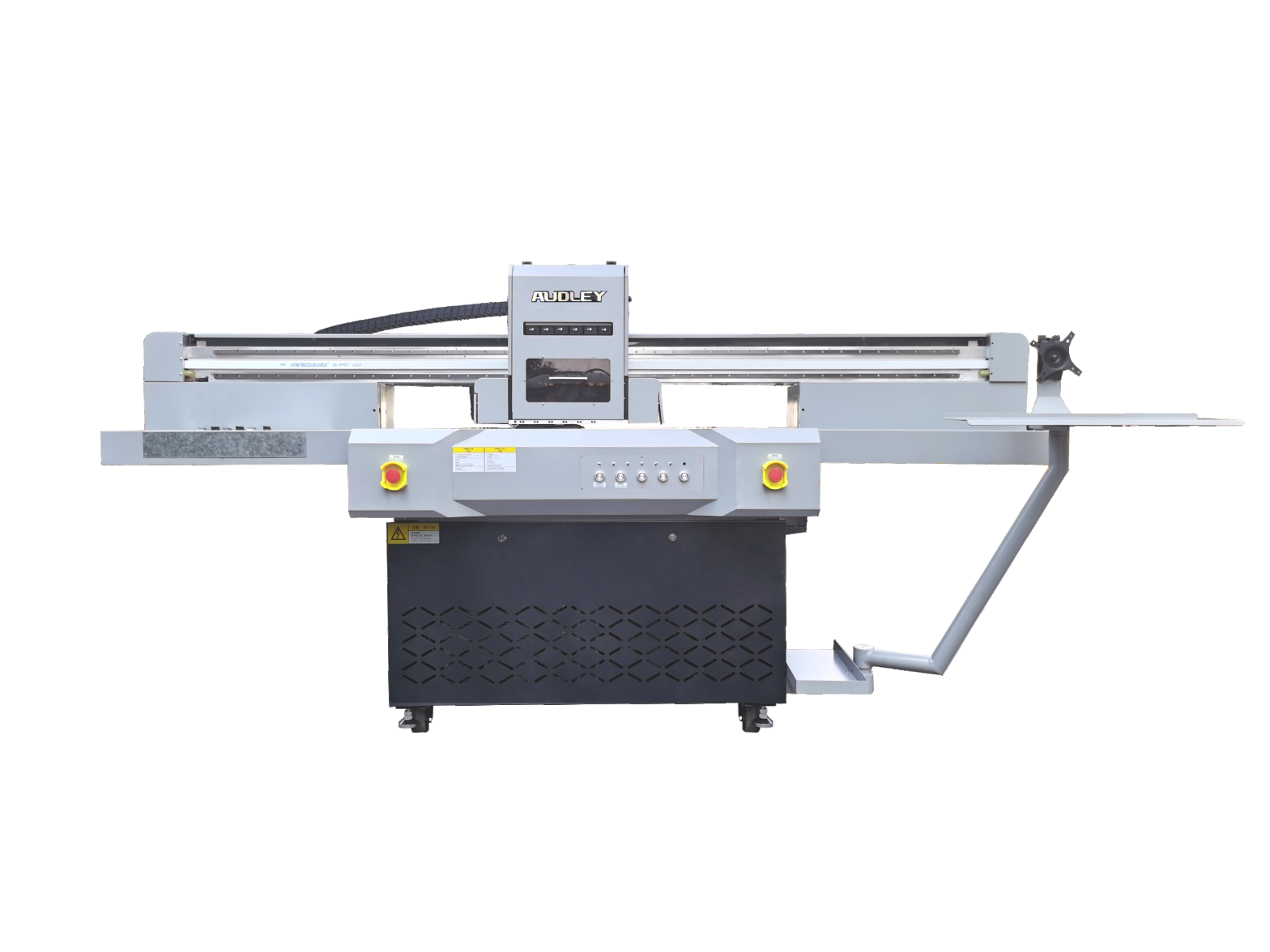
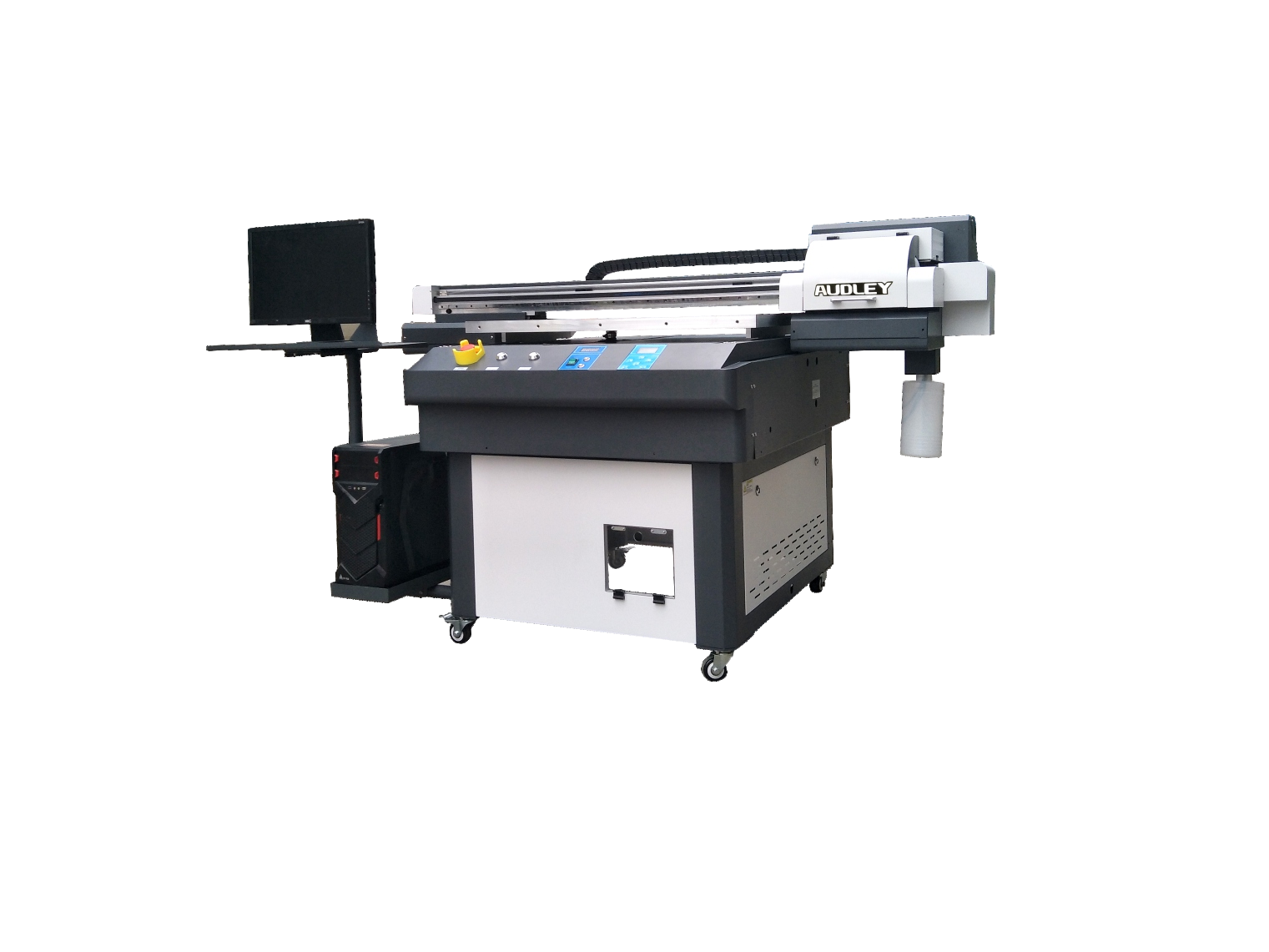
View the printer, internal components and key construction details.
Brochure and demo
Brochure and Video Availability
Brochure
Download the supplied Locor brochure. Confirm the exact variant and any disputed specifications in your quotation.
Download BrochureVideo demonstration
Explore related printing workflows on our YouTube channel. Ask our team for a demonstration of the exact model and configuration you are considering.
Watch Machine VideosSample printing
Sample printing ₹500 + shipping ₹100. Total before legally applicable tax: ₹600. Non-refundable.
Warranty and support
Eligible machines receive a one-year dedicated warranty, support access, spare-parts support subject to availability and three on-site service visits in the first year.
- Printheads excluded
- Ink-related damage excluded
- Unsupported consumables may affect warranty eligibility
Consumables required
- Compatible ink: UV Inks
- Compatible media: Photo Paper / PP Paper / Canvas / Rice Paper / Vehicle Vinyl Heat Transfer Paper, and More.
- Ask for manufacturer-approved cleaning and maintenance consumables; no exact consumable SKU is assigned.
- Final consumable compatibility must be confirmed against the ordered machine configuration.
Machine FAQs
What is the Locor Deluxejet1840UV designed for?
Locor Deluxejet1840UV is a uv roll-to-roll printer. Listed printhead options: Epson I3200-U1. Printhead quantity: 3/4. Confirm the exact ordered variant, ink configuration and site requirements in the quotation.
Which media does the brochure list?
Photo Paper / PP Paper / Canvas / Rice Paper / Vehicle Vinyl Heat Transfer Paper, and More. Material suitability and preparation must be confirmed for the intended job.
Which printheads and quantity are listed?
Epson I3200-U1; 3/4. Confirm the ordered configuration; alternatives are not a promise that every option is included.
What print width or working area should I plan for?
The brochure contains conflicting or incomplete area/width information. Request a confirmed specification sheet before planning the installation.
Which ink and consumables should I order?
Compatible ink: UV Inks Compatible media: Photo Paper / PP Paper / Canvas / Rice Paper / Vehicle Vinyl Heat Transfer Paper, and More. Ask for manufacturer-approved cleaning and maintenance consumables; no exact consumable SKU is assigned. Final consumable compatibility must be confirmed against the ordered machine configuration.
What electrical preparation is stated?
AC-220V, 50Hz/60Hz. Confirm load, earthing and the final site requirements with the technical team.
Which RIP software is listed?
Maintop/Photoprint. Confirm licensing and the supported operating system with the final quotation.
What should be confirmed before ordering?
Confirm the exact variant, final specification sheet, material sample, consumable compatibility, optional equipment, site access and the eligible installation/warranty terms. Brochure values may change; they are not guaranteed production output.
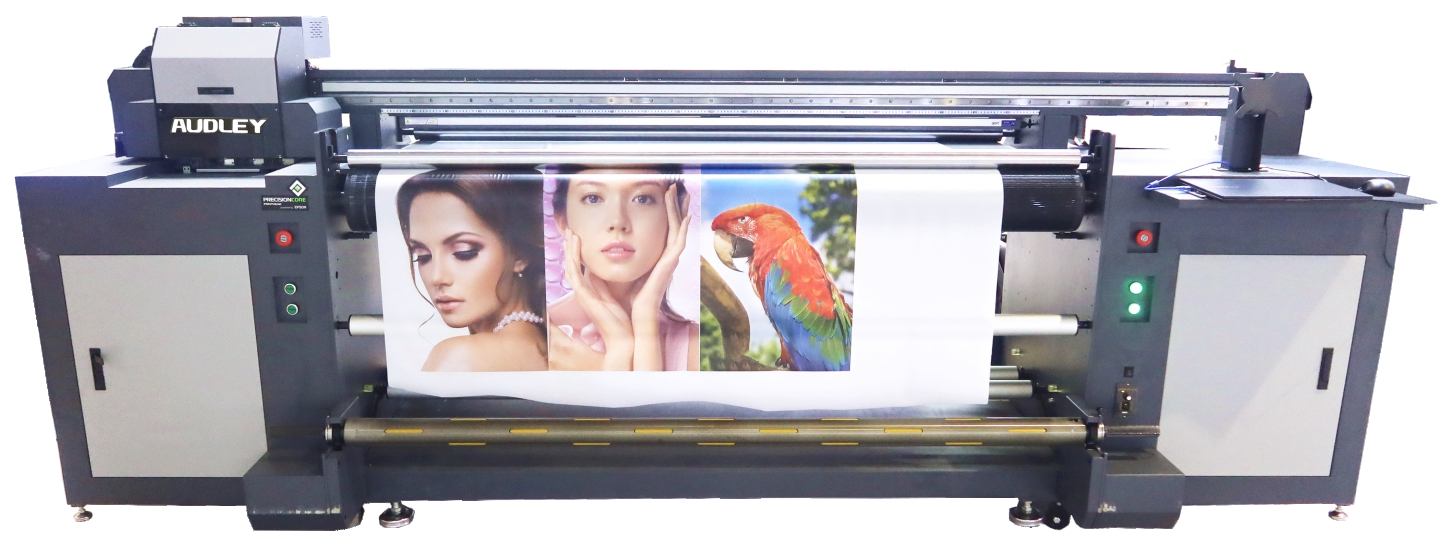
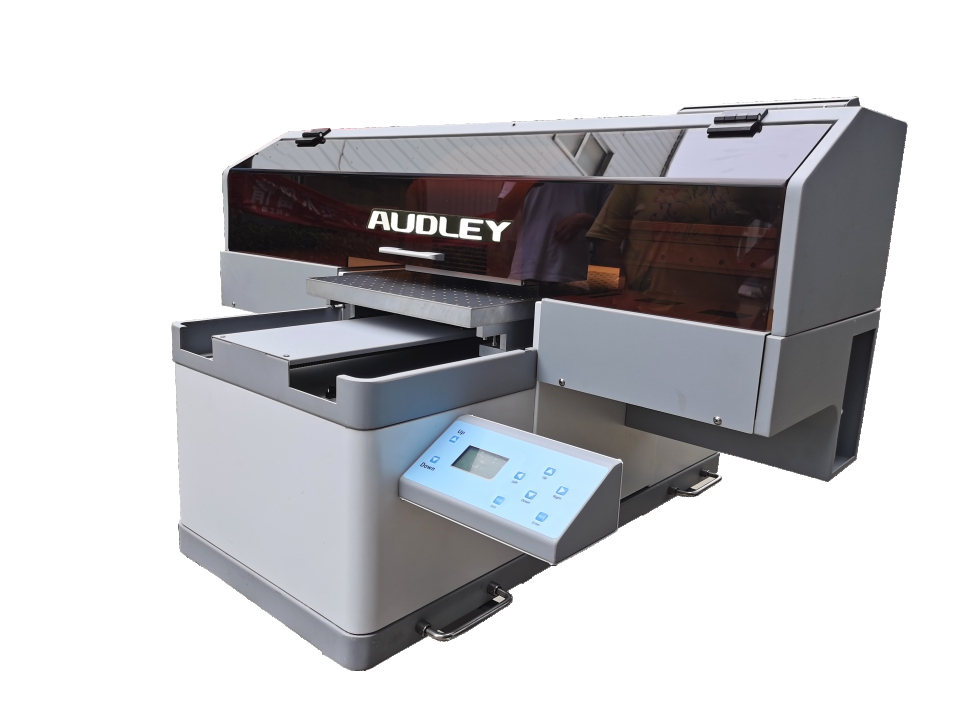
Related machines
Continue comparing similar options
Need help?
Need the Right Configuration?
Tell us your production requirement and our team will help confirm the suitable machine, configuration and quotation.
Machine requirement
Get a Detailed Machine Quotation
Specifications, availability, GST, freight, installation and warranty terms will be confirmed in the formal quotation.