
HJD / DTG
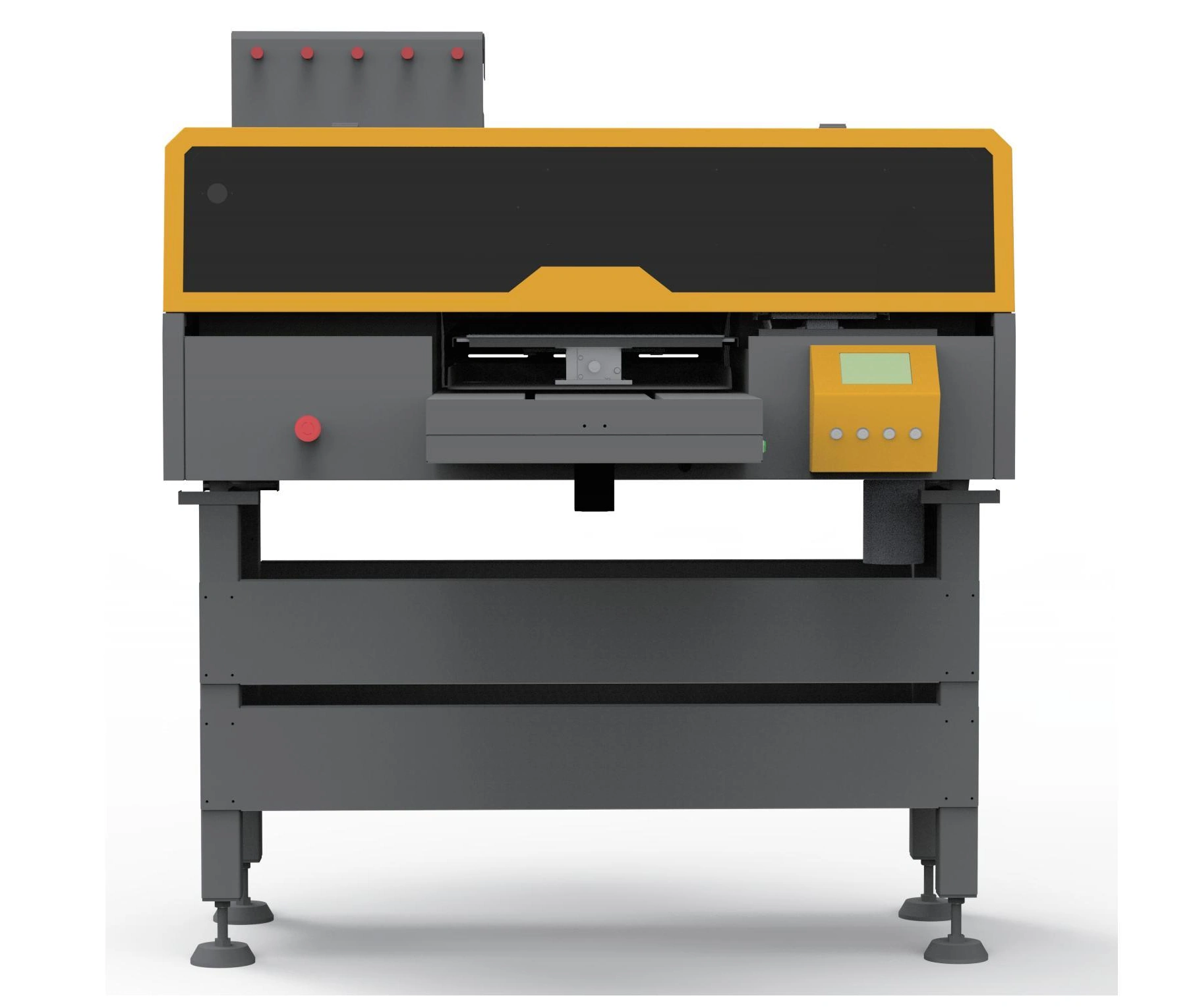
HJD-DP03 Direct-to-Garment Printer (Single Station)
A single-station direct-to-garment printer for cotton-containing garments and cut pieces. View specifications, machine images and the product brochure; ask for configuration advice.
- Head options: 2 × Epson i3200-A1; 2 × F1080-A1 (XP600); or 2 × Brother KS1680H
- Standard print area: 35 × 45 cm; other platens on request
- Power: 1500 W
Printing machine buying guide · Compare DTG equipment · Consumable and spare-part compatibility guidance
Request Current Price
Current price, GST, freight and configuration are confirmed in writing.
Get a Detailed Quotation
Specifications, GST, freight, installation and warranty terms will be confirmed in writing.
Check Current Availability
Availability is verified before dispatch or import-on-order planning.
View Delivery Process
Dispatch follows payment, specification confirmation and logistics planning.
View Delivery ProcessInstallation Details
Free on-site installation for eligible machines above ₹1.5 lakh. Engineer travel and stay are customer-paid.
View Installation Details1-Year Dedicated Warranty for Eligible Machines
Printheads and ink-related damage are excluded.
View Warranty PolicyOverview and Applications
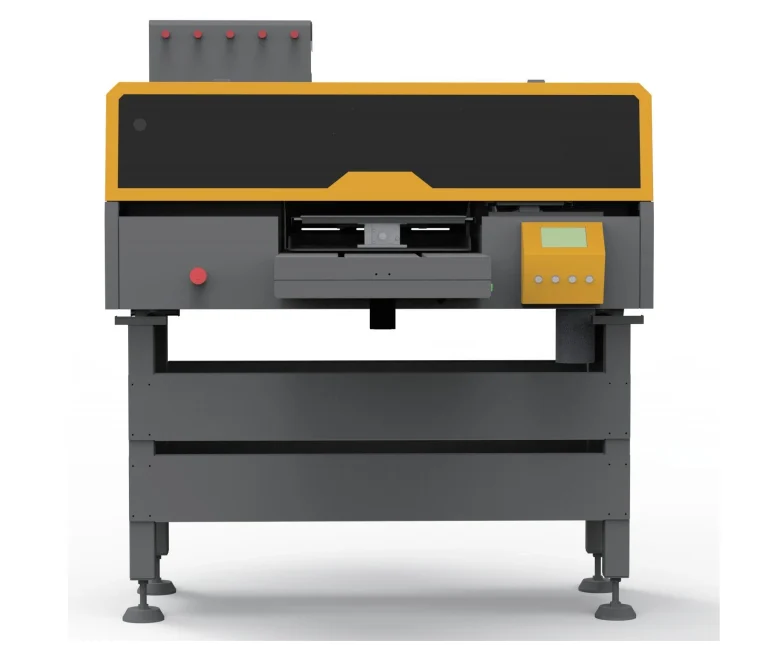
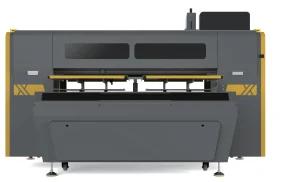
HJD-DP03 Direct-to-Garment Printer (Single Station) is documented in the HJD manufacturer brochure. A single-station direct-to-garment printer for cotton-containing garments and cut pieces. The brochure lists three printhead alternatives; the operating settings and output depend on the selected configuration. The documented equipment details include Enclosed aluminium-alloy tabletop support; Y-axis stepper drive and dual guide rail; Software-generated white channel; Quiet X-axis linear guide. These details should be checked against the configuration being quoted, rather than assumed to apply to another model in the range. For a technical comparison, the brochure records the following: model: HJD-DP03 — single station; head options: 2 × Epson i3200-A1; 2 × F1080-A1 (XP600); or 2 × Brother KS1680H; ink: CMYK textile pigment ink + white pigment ink; fabrics: Cotton, linen, denim, sweatshirt fabric and other cotton-containing materials; standard print area: 35 × 45 cm; other platens on request; power: 1500 W; machine weight: 130 kg; ink-tank volume: 1500 ml. The specification table and this product’s downloadable brochure provide the source context, including any model-dependent alternatives. The illustrated working sequence is: Apply treatment liquid; then Dry in tunnel or oven; then Press fabric flat; then Print the pattern; then Heat-fix in tunnel or oven; then Inspect the finished garment. Review this sequence when discussing how the equipment would fit into your existing workflow. When enquiring about HJD-DP03 Direct-to-Garment Printer (Single Station), describe the actual job you need to complete, the material or item involved, and the equipment already used in your workshop. Ask the technical team to confirm whether this exact product and its quoted configuration are suitable; a related machine name or a similar photograph does not establish compatibility.
- Cotton, linen, denim, sweatshirt fabric and other cotton-containing materials
Technical Specifications
Printing
| Model | HJD-DP03 — single station |
|---|
Ink and media
| Ink | CMYK textile pigment ink + white pigment ink |
|---|
Electrical
| Power | 1500 W |
|---|
Dimensions and weight
| Machine weight | 130 kg |
|---|
Environment
| Working environment | 20–28 °C; 45–65% RH |
|---|
Other brochure specifications
| Head options | 2 × Epson i3200-A1; 2 × F1080-A1 (XP600); or 2 × Brother KS1680H |
|---|---|
| Fabrics | Cotton, linen, denim, sweatshirt fabric and other cotton-containing materials |
| Standard print area | 35 × 45 cm; other platens on request |
| Ink-tank volume | 1500 ml |
| Interface | USB 3.0 / Gigabit network |
| Printhead-to-media height | 3–20 mm adjustable |
| Optimum jetting height | 3 mm (Epson); 4 mm (Brother) |
| Main unit dimensions | 1200 × 1250 × 740 mm |
| i3200 production / fine | 720 × 1200 dpi / 4 pass: 1.33 min per A3; 720 × 1800 dpi / 6 pass: 2 min per A3 |
| XP600 production / fine | 720 × 1080 dpi / 6 pass: 2.5 min per A3; 720 × 1440 dpi / 8 pass: 4 min per A3 |
| Brother production / fine | 900 × 900 dpi / 3 pass: 0.8 min per A3; 900 × 1200 dpi / 4 pass: 1.2 min per A3 |
Brochure values should be reconfirmed in the final quotation and specification sheet before purchase.
Features and Components
- Enclosed aluminium-alloy tabletop support
- Y-axis stepper drive and dual guide rail
- Software-generated white channel
- Quiet X-axis linear guide
Working Process
- Apply treatment liquid
- Dry in tunnel or oven
- Press fabric flat
- Print the pattern
- Heat-fix in tunnel or oven
- Inspect the finished garment
Package
What is Included and What to Plan Separately
Package eligibility will be confirmed in your quotation. Machines priced above ₹1.5 lakh receive the ProlificGeeks installation and support package.
Included with eligible machine
- Free on-site installation
- Operator training during installation
- Machine operation demonstration
- Recorded installation/execution demonstration
Installation and support package
- Setup guidance
- Instant support during supported service hours
- Three on-site service visits in the first year
- One-year dedicated warranty
Optional/configuration-dependent
- Exact starter consumable quantity
- Optional accessories
- Additional finishing equipment
- DTFShop product links after exact owner-approved mapping
Required separately
- Engineer onward/return travel
- Engineer accommodation and local transport
- Unsupported consumables or damage risk
- Printheads and ink-related damage are warranty exclusions
Delivery and setup
Delivery, Installation and Training
Industrial machine ordering should be confirmed through a formal quotation, specification review and site-readiness check.
- Confirm configuration and requirements.
- Verify availability or import timeline.
- Issue formal quotation and collect applicable advance/payment.
- Arrange dispatch and site-readiness confirmation.
- Engineer installation and operator training.
- Post-installation support and scheduled service.
If the selected machine is in stock, dispatch is arranged promptly after payment, specification confirmation and logistics planning.
If the machine must be imported, the estimated supply period is approximately 45 days, subject to supplier readiness, freight, customs and logistics.
Import-on-order machines generally require a 20–50% advance, with the exact amount stated in the quotation.
Training is conducted during installation for approximately 4–5 operators. Engineer travel, hotel and local transport are customer-paid.
Workspace planning
Plan Your Machine Setup
Final room dimensions depend on the selected configuration and site measurements. Use this checklist before requesting a layout review.
Gallery
Explore the Machine
View the printer, internal components and key construction details.
Brochure and demo
Brochure and Video Availability
Brochure
Download the product-specific HJD brochure. Confirm the selected configuration and any source limitations before ordering.
Download BrochureVideo demonstration
Related technology videos are available from the ProlificGeeks YouTube channel unless an exact machine video is mapped later.
Watch Machine VideosSample printing
Sample printing ₹500 + shipping ₹100. Total before legally applicable tax: ₹600. Non-refundable.
Warranty and support
Eligible machines receive a one-year dedicated warranty, support access, spare-parts support subject to availability and three on-site service visits in the first year.
- Printheads excluded
- Ink-related damage excluded
- Unsupported consumables may affect warranty eligibility
Consumables required
- Ink: CMYK textile pigment ink + white pigment ink
Machine FAQs
Where can I check the original specifications?
Use this page’s product-specific Download Brochure link. It contains the relevant source pages or the isolated model record.
Are the brochure output figures guaranteed?
No. Output depends on the selected configuration, print mode, media and operating conditions. Confirm these requirements before ordering.
Related machines
Continue comparing similar options
Need help?
Need the Right Configuration?
Tell us your production requirement and our team will help confirm the suitable machine, configuration and quotation.
Machine requirement
Get a Detailed Machine Quotation
Specifications, availability, GST, freight, installation and warranty terms will be confirmed in the formal quotation.