
HJD / Textile Printing
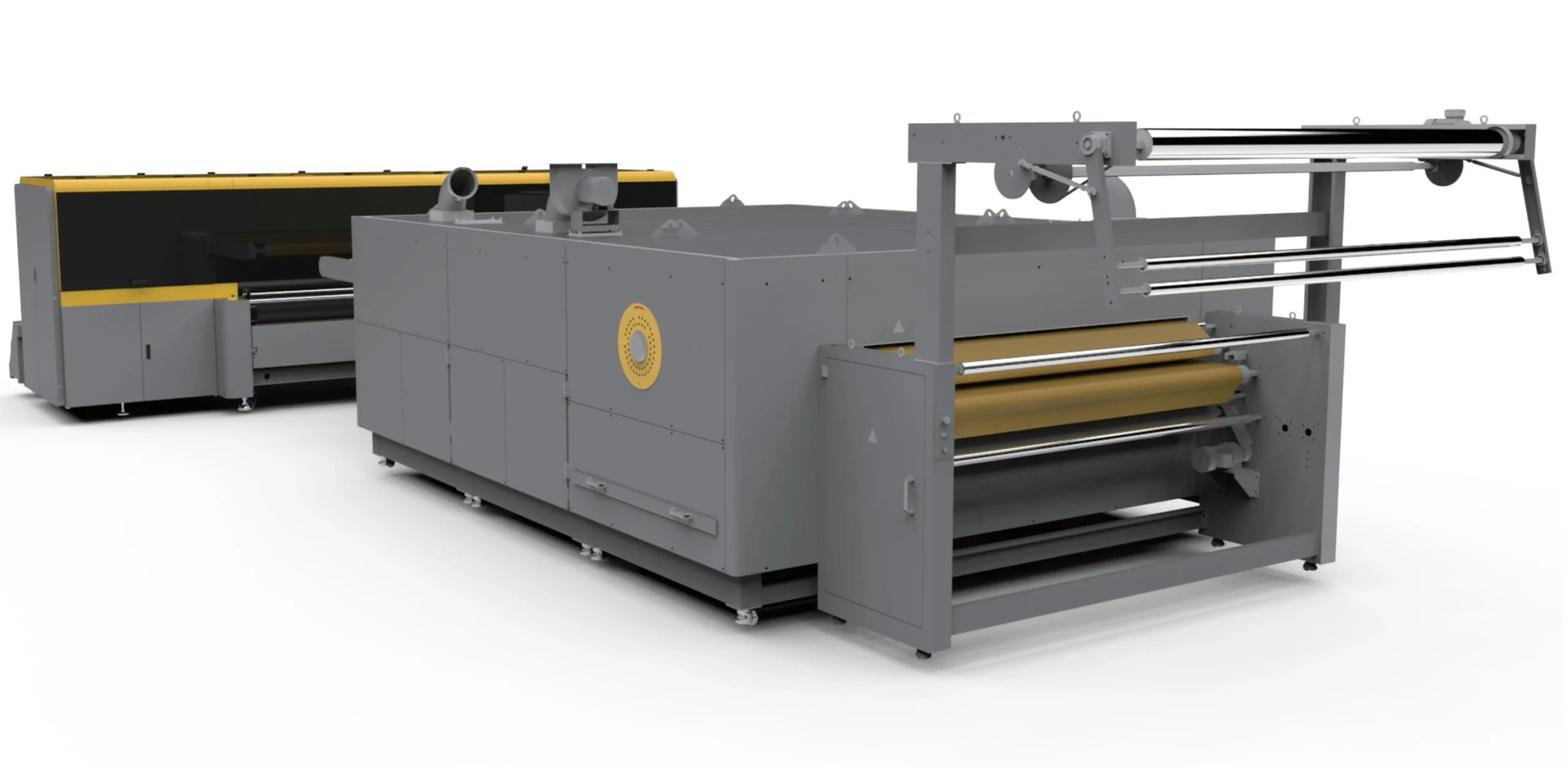
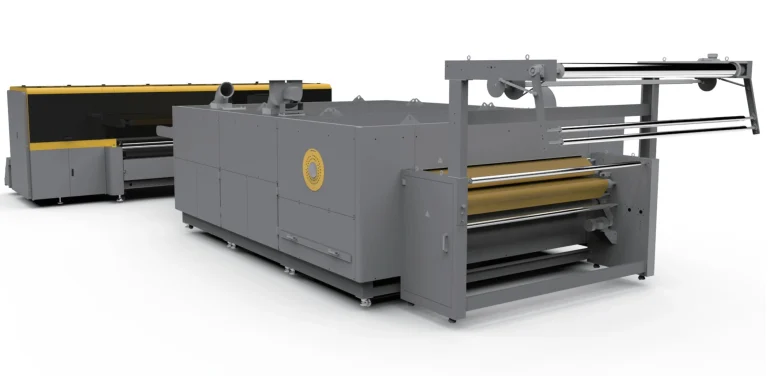
HJD-DP13 High Speed Digital Direct Textile Printer
An industrial belt-fed direct textile printer. View specifications, machine images and the product brochure; ask for configuration advice.
- Kyocera print-width options: 1810 mm; optional 2610 / 3210 mm
- Automatic belt gluing and cleaning
- Real-time fabric-height monitoring
Printing machine buying guide · Compare Textile Printing equipment · Consumable and spare-part compatibility guidance
Request Current Price
Current price, GST, freight and configuration are confirmed in writing.
Get a Detailed Quotation
Specifications, GST, freight, installation and warranty terms will be confirmed in writing.
Check Current Availability
Availability is verified before dispatch or import-on-order planning.
View Delivery Process
Dispatch follows payment, specification confirmation and logistics planning.
View Delivery ProcessInstallation Details
Free on-site installation for eligible machines above ₹1.5 lakh. Engineer travel and stay are customer-paid.
View Installation Details1-Year Dedicated Warranty for Eligible Machines
Printheads and ink-related damage are excluded.
View Warranty PolicyHJD-DP13 High Speed Digital Direct Textile Printer: before you decide
Bring your fabric details, artwork dimensions and finishing requirements. Ask for a sample that follows the complete proposed workflow, so you can assess the result rather than only the printing step.
Bring a job you actually plan to produce
Choose artwork and material that reflect your typical order. Ask which configuration produced the sample, how the operator handled the work and what checks were used to approve the result.
Keep the package details together
Save the product brochure, agreed configuration and quotation. Confirm what is supplied, what you need separately and which delivery, training and service arrangements apply to your order.
For background on the process, read Epson’s digital printing primer. This is general learning material. Use the documentation for your own machine and consumables when choosing settings.
Use the machine buying guide to organise your questions. For HJD-DP13 High Speed Digital Direct Textile Printer, contact the team with your sample brief and installation location.
HJD-DP13 High Speed Digital Direct Textile Printer: Overview and Applications
HJD-DP13 High Speed Digital Direct Textile Printer is one option to discuss for your textile printing setup. Bring your fabric details, artwork dimensions and finishing requirements. Ask for a sample that follows the complete proposed workflow, so you can assess the result rather than only the printing step.
HJD-DP13 High Speed Digital Direct Textile Printer is documented in the HJD manufacturer brochure. An industrial belt-fed direct textile printer. The brochure provides separate Kyocera and Ricoh configuration tables; head counts, widths, speeds, power and dimensions must be read within the selected table, not mixed across configurations.
Use the specification table and matching brochure to check the configuration. If the listing covers alternative heads, widths or versions, mark the option you want on the quotation. Ask the team to clarify any ambiguous entry before treating it as a purchase specification.
For HJD-DP13 High Speed Digital Direct Textile Printer, bring one representative job to the discussion. Note the artwork dimensions, material and quantities, and agree what a successful sample should demonstrate. Record the consumables and settings used for that sample so you have a useful reference later.
Compare the complete written package, including accessories, software where applicable, delivery and agreed installation or training. Measure the access route and the space needed around the equipment. Refer to the published warranty and support information alongside the terms in your order.
- Cotton, linen, silk, polyester, blended fabrics and nylon
Technical Specifications
Printing
| Model | HJD-DP13 |
|---|
Other brochure specifications
| Kyocera configuration | KJ4B-EX600 industrial heads: 16 or 32 |
|---|---|
| Ricoh configuration | G6 industrial heads: 16 or 32; optional reduced head counts as listed in brochure |
| Ink processes | Pigment, reactive, acid or high-temperature disperse; select compatible configuration |
| Fabrics | Cotton, linen, silk, polyester, blended fabrics and nylon |
| Kyocera print-width options | 1810 mm; optional 2610 / 3210 mm |
| Ricoh print widths | 1810 / 2610 mm |
| Optimum spray height | 3 mm |
| Air | 0.6 MPa, 50 L/min; dry, oil-free |
| Water | 0.6 MPa, 1 m³/h |
Brochure values should be reconfirmed in the final quotation and specification sheet before purchase.
Features and Components
- Automatic belt gluing and cleaning
- Real-time fabric-height monitoring
- Carriage collision protection
- Industrial negative-pressure ink supply
- Follow-up fabric spreading roller
Configuration and Source Notes
- Some power and dimension values differ across configurations; original individual tables retained.
Package
What is Included and What to Plan Separately
Package eligibility will be confirmed in your quotation. Machines priced above ₹1.5 lakh receive the ProlificGeeks installation and support package.
Included with eligible machine
- Free on-site installation
- Operator training during installation
- Machine operation demonstration
- Recorded installation/execution demonstration
Installation and support package
- Setup guidance
- Instant support during supported service hours
- Three on-site service visits in the first year
- One-year dedicated warranty
Optional/configuration-dependent
- Exact starter consumable quantity
- Optional accessories
- Additional finishing equipment
- Compatible consumable and accessory options
Required separately
- Engineer onward/return travel
- Engineer accommodation and local transport
- Unsupported consumables or damage risk
- Printheads and ink-related damage are warranty exclusions
Delivery and setup
Delivery, Installation and Training
Industrial machine ordering should be confirmed through a formal quotation, specification review and site-readiness check.
- Confirm configuration and requirements.
- Verify availability or import timeline.
- Issue formal quotation and collect applicable advance/payment.
- Arrange dispatch and site-readiness confirmation.
- Engineer installation and operator training.
- Post-installation support and scheduled service.
If the selected machine is in stock, dispatch is arranged promptly after payment, specification confirmation and logistics planning.
If the machine must be imported, the estimated supply period is approximately 45 days, subject to supplier readiness, freight, customs and logistics.
Import-on-order machines generally require a 20–50% advance, with the exact amount stated in the quotation.
Training is conducted during installation for approximately 4–5 operators. Engineer travel, hotel and local transport are customer-paid.
Workspace planning
Plan Your Machine Setup
Final room dimensions depend on the selected configuration and site measurements. Use this checklist before requesting a layout review.
Gallery
Explore the Machine
View the printer, internal components and key construction details.
Brochure and demo
Brochure and Video Availability
Brochure
Download the product-specific HJD brochure. Confirm the selected configuration and any source limitations before ordering.
Download BrochureVideo demonstration
Explore related printing workflows on our YouTube channel. Ask our team for a demonstration of the exact model and configuration you are considering.
Watch Machine VideosSample printing
Sample printing ₹500 + shipping ₹100. Total before legally applicable tax: ₹600. Non-refundable.
Warranty and support
Eligible machines receive a one-year dedicated warranty, support access, spare-parts support subject to availability and three on-site service visits in the first year.
- Printheads excluded
- Ink-related damage excluded
- Unsupported consumables may affect warranty eligibility
Consumables required
- Ink processes: Pigment, reactive, acid or high-temperature disperse; select compatible configuration
Machine FAQs
Where can I check the original specifications?
Use the product-specific Download Brochure link on this page and confirm the selected configuration in your quotation.
Are the brochure output figures guaranteed?
No. Output depends on the selected configuration, print mode, media and operating conditions. Confirm these requirements before ordering.
Related machines
Continue comparing similar options
Need help?
Need the Right Configuration?
Tell us your production requirement and our team will help confirm the suitable machine, configuration and quotation.
Machine requirement
Get a Detailed Machine Quotation
Specifications, availability, GST, freight, installation and warranty terms will be confirmed in the formal quotation.